
Bring in the story.
Add images, video, voice and sound from your library or generate selected assets in the app.
Build polished videos shot by shot, with a timeline that stays readable and deeper controls that appear when you ask for them.
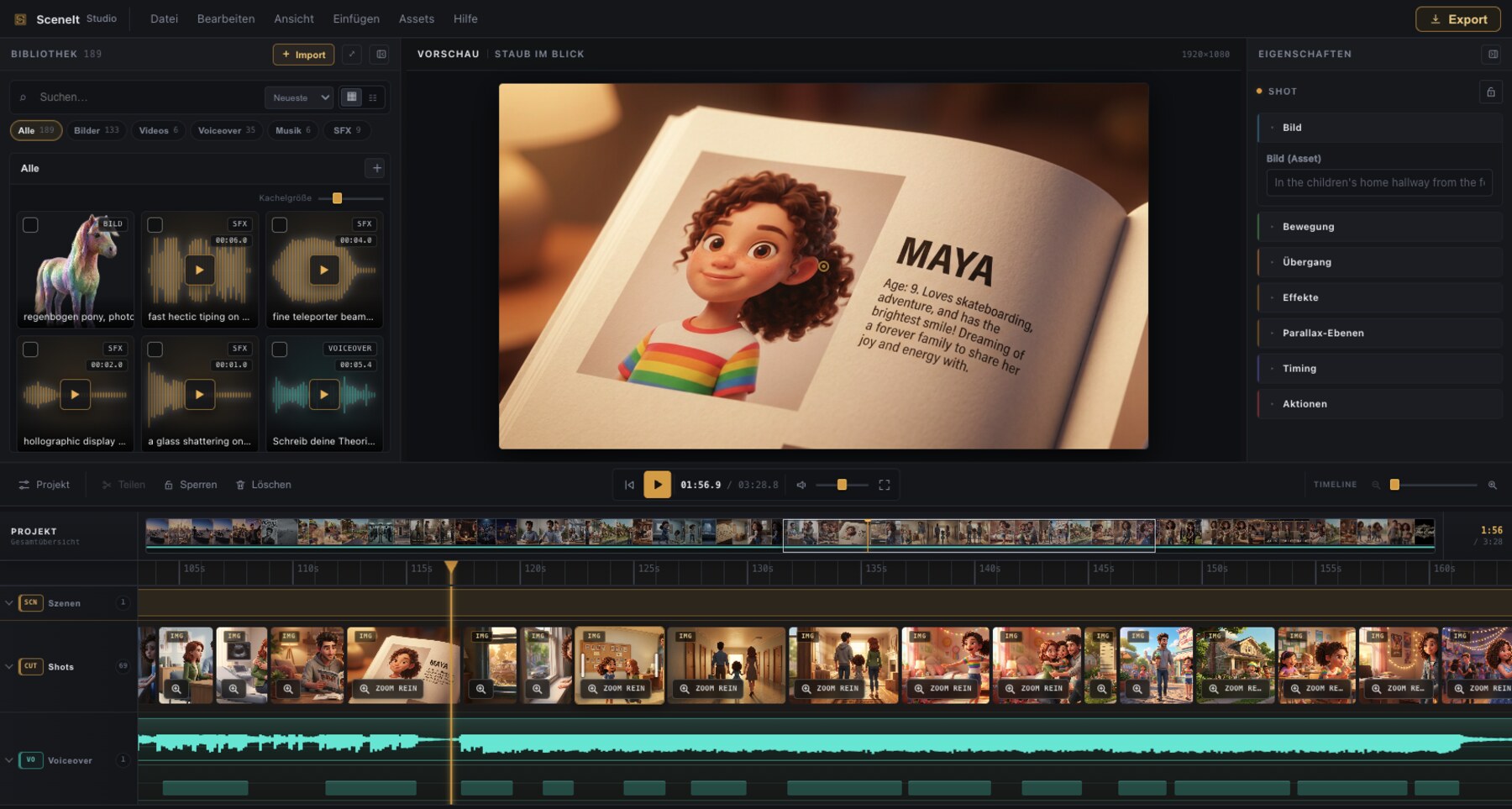
A straightforward path through the work, with room for precision at every stage.
Add images, video, voice and sound from your library or generate selected assets in the app.
Place the visual sequence, trim with precision and read the whole story at a glance.
Add transitions, effects, music, SFX and readable captions without crowding the edit.
Watch the final composition and export a finished MP4 for your chosen format.
Open any screenshot for a closer look.
Images and videos, precise trimming, transitions and a project-wide navigator.
Focused motion, parallax, scale and adaptive tools without keyframe clutter.
Voiceover, music and SFX stay separate, readable and adjustable.
Create, time and style captions as part of the edit, not as an afterthought.
Organize media in virtual folders without losing the original files.
Use connected providers at their price or import results from any other service.
A focused desktop workflow built for Apple silicon, with your projects and media kept on your Mac.
No. SceneIt Studio 26 is a one-time purchase.
No. The complete editor works with your own media. Connected generation is optional.
No. What you buy is the whole editor, without in-app paywalls.
Yes. Verify the email address attached to your license on the download page.
No subscription, hidden tier or recurring fee.